Convert WAV to MP3 — Offline
WAV is uncompressed audio (~10 MB per minute). MP3 is portable, shareable, and supported everywhere — at a tenth the file size. Drop your WAVs onto MiniMax Converter and convert in batch with one click, entirely offline.
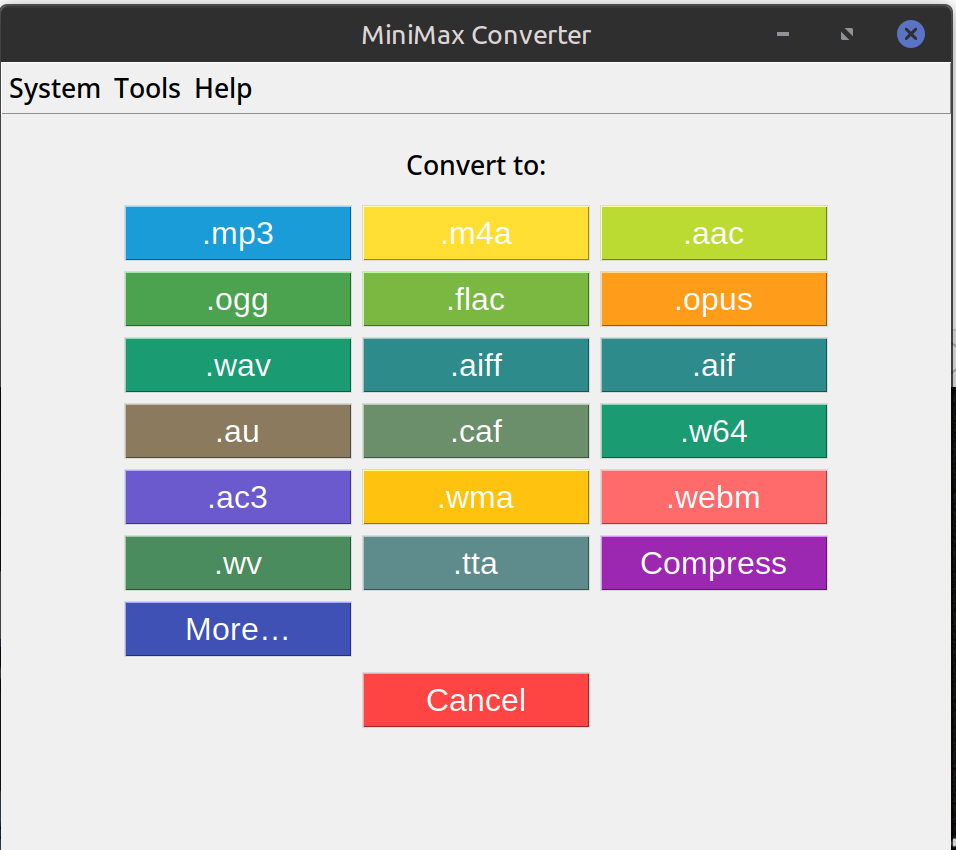
How to convert
- Drop one or more WAV files (or a folder containing WAVs) onto MiniMax Converter.
- Pick MP3 from the format chooser.
- Choose bitrate. VBR-V0 (~245 kbps avg) is recommended — near-transparent to most listeners, ~7× smaller than the source WAV.
- Save. The MP3s land next to the source files.
Quality vs size trade-off
VBR-V0 (~245 kbps avg): near-transparent, recommended for music. 320 kbps CBR: maximum MP3 quality, ~9× smaller than source WAV. 192 kbps: good for spoken word / podcasts, ~14× smaller. 128 kbps: noticeable loss on critical listening, fine for casual.
Want lossless instead?
If you want compression but not quality loss, pick FLAC instead of MP3. FLAC typically achieves ~50% of WAV's size with zero quality loss, decodable by every modern player.
Questions and answers
Will I notice the quality drop?
At VBR-V0 or 320 kbps, most listeners can't distinguish from the WAV source in blind tests. Below 192 kbps, some artefacts become audible on critical material (cymbals, reverb tails).
Does it preserve sample rate?
Yes — 44.1 kHz WAV stays 44.1 kHz MP3, 48 kHz stays 48 kHz. (MP3 supports 32/44.1/48 kHz; other sample rates resample to the nearest.)
What about stereo vs mono?
Preserved — stereo WAV becomes stereo MP3, mono stays mono.
Can I batch-convert hundreds of WAVs?
Yes — drop the folder, the app processes in parallel across your CPU cores.
Related tools
Get MiniMax Converter
Cross-platform desktop app. Linux free for non-commercial use; Windows & macOS one-time €20 license. No subscription, no telemetry, no account.