Convert MP4 to MP3 — Offline
Drop one or more MP4 video files onto MiniMax Converter and extract the audio track as MP3. Pick the bitrate (VBR best quality, or fixed 320 / 256 / 192 / 128 kbps), batch-process a whole folder if you like. Runs locally — no upload, no file-size limit, no watermark.
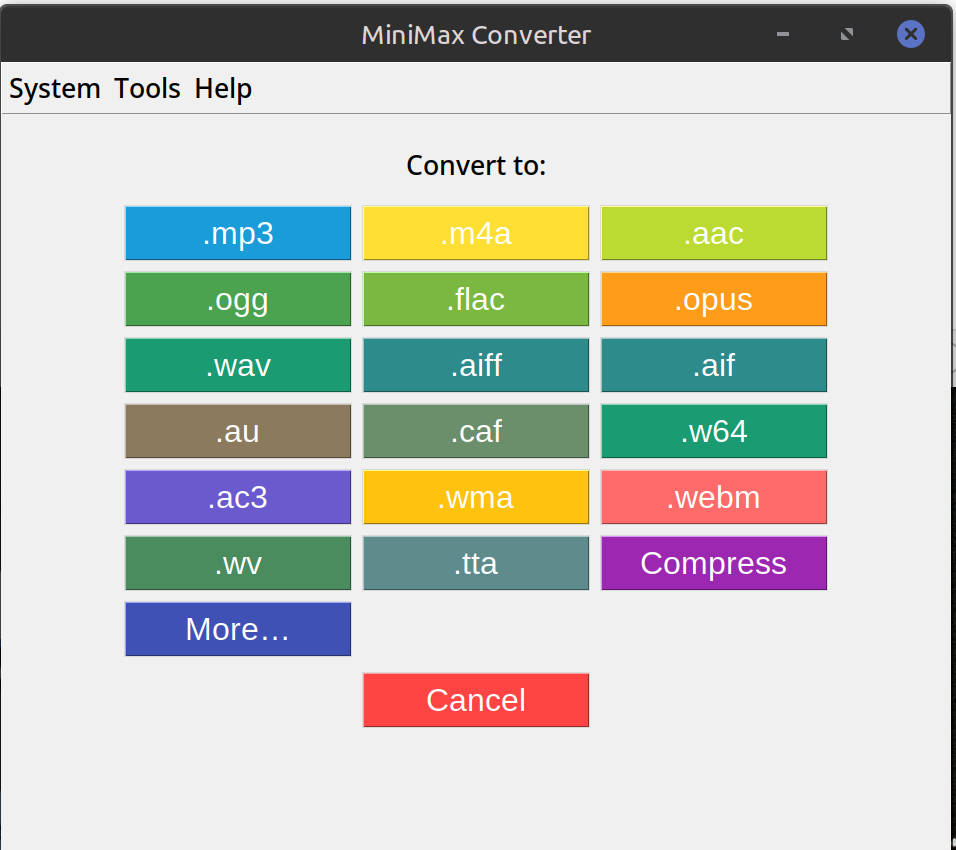
How to convert
- Drop one or more MP4 files (or a folder containing MP4s) onto MiniMax Converter.
- Pick MP3 from the format chooser.
- Choose bitrate. VBR-V0 is the recommended "best quality" — ~245 kbps average, near-transparent.
- Save. The MP3s land next to the source files by default.
Quality notes
Going from MP4's embedded AAC audio to MP3 is a lossy → lossy conversion — you lose a small amount of quality. Use VBR-V0 or 320 kbps CBR to minimise it. If the source MP4 has FLAC or PCM audio (rare), the loss is bigger; you might prefer FLAC output instead.
Why offline?
Online MP4-to-MP3 converters cap file sizes (typically 100 MB), throttle bandwidth, require an upload per file, and often add ads or watermarks. Local conversion handles any size, runs at SSD speed, and your files stay on your machine.
Questions and answers
Will it work on large MP4s (>2 GB)?
Yes — no file-size cap. The conversion runs in streaming mode; memory use is constant regardless of file size.
Can I keep the video and just have a separate MP3?
Yes — the original MP4 is preserved; the MP3 is written next to it.
What about M4A or AAC output instead of MP3?
Same flow — pick M4A or AAC from the format chooser. M4A often has better quality per bit than MP3.
Does it handle MP4s with multiple audio tracks?
It extracts the first audio track by default. For multi-track files (e.g. dubs), use the standalone Audio extractor tool to pick the track.
Related tools
Get MiniMax Converter
Cross-platform desktop app. Linux free for non-commercial use; Windows & macOS one-time €20 license. No subscription, no telemetry, no account.